

Import Questions : This feature is used to bulk insert questions into the database using a excel file.
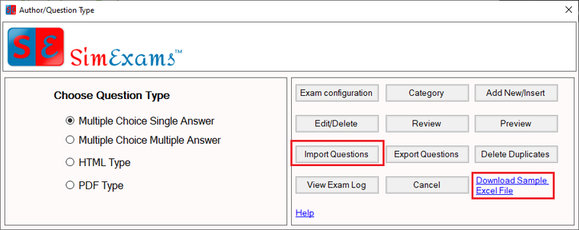
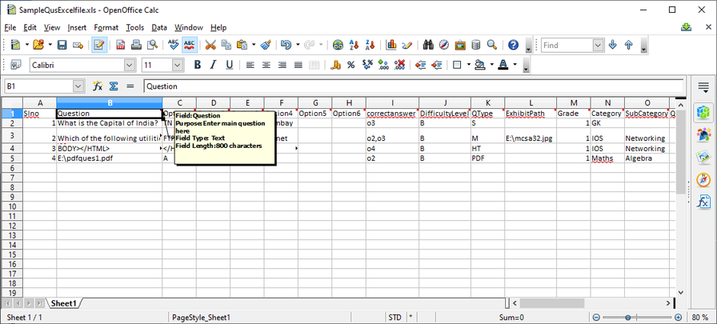
To insert the questions into the database they should be present in a particular format in excel file, to download the sample excel file click on "Download Sample Excel File" link in "Author/Question Type" screen.
Sample excel file is shown below:
Once the excel file is ready click on "Import Questions" button in "Author/Question Type" screen (marked in above screenshot). Then browse and select the created excel file to start importing the questions.
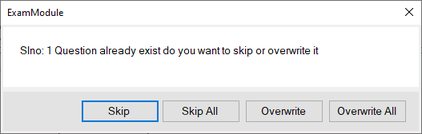
While importing questions from excel file if program encounters any duplicates it will give an option to skip or overwrite duplicate questions. Select the required options in the window shown below.
Once the questions are inserted you will get a import successful message.
Please Note : If there are any errors present in the excel file for example an image file path given in the excel file is not valid, you will be shown a error log to help to correct any issues in excel file. Questions will be imported only when all theissues in the excel file are fixed.
Copyright © Anand Software and Training Private Limited.